Texel TapeMetrix: Installation Guide
Overview
Texel TapeMetrix is a software designed to automate digital body measurement based on 3D models. The software features compatibility with Texel Portal proprietary 3D scanners as well as third-party solutions, such as handheld 3D scanners, photogrammetry systems, and mobile devices. TapeMetrix automatically generates approximately 100 baseline parameters (including circumferences, heights, and distances) according to GOST and ISO standards. Users retain the ability to modify the resulting measurements or add custom parameters manually via an intuitive user interface. Data processing and storage are fully localized (no internet access required), thereby ensuring total data privacy and security.
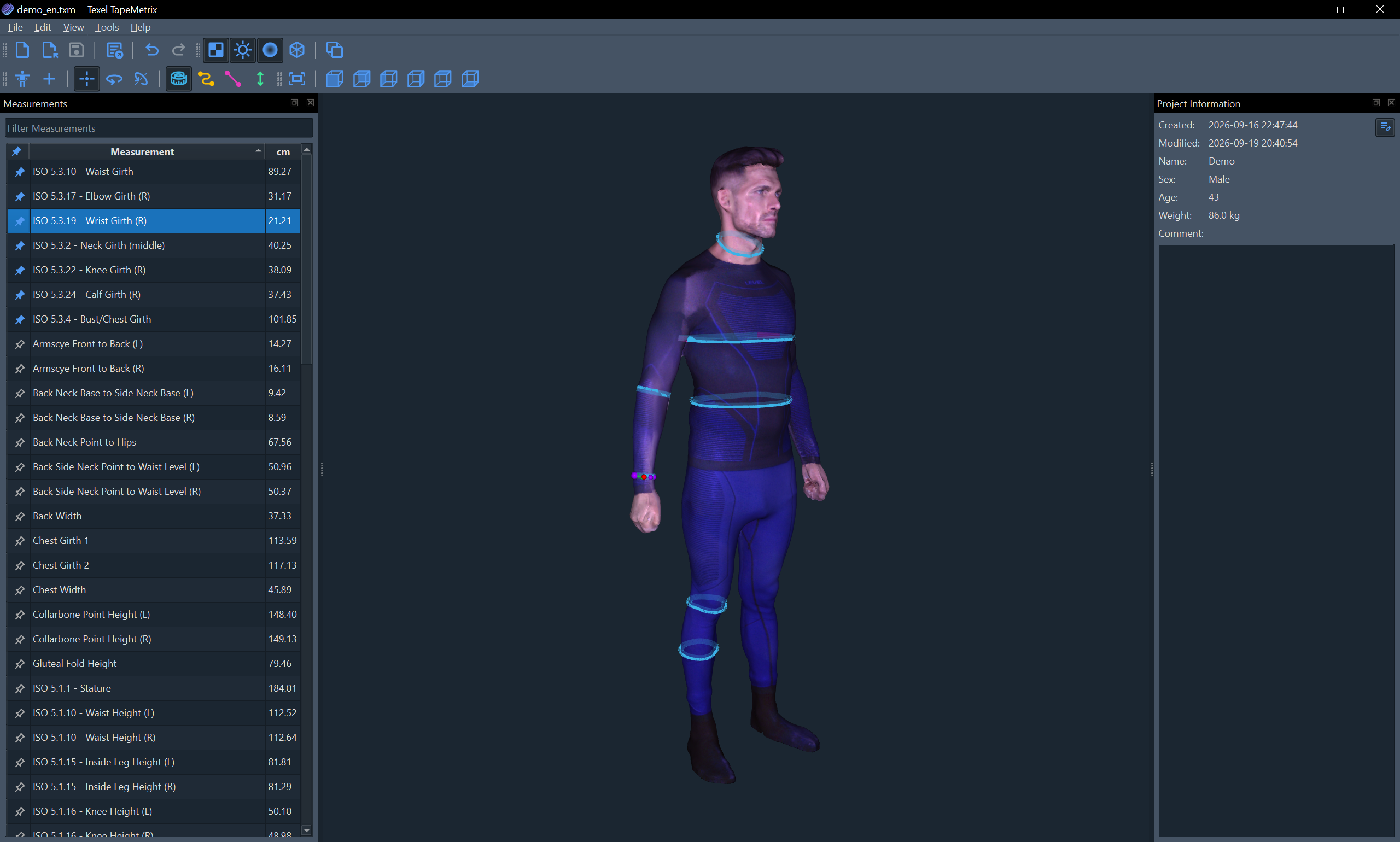
This guide describes the system requirements, installation process, and license registration for Texel TapeMetrix.
System Requirements
Texel TapeMetrix does not place heavy demands on hardware, eliminating the need for a high-performance graphics card. This makes it possible to run the software on budget-friendly laptops and PCs.
- Processor: x86_64 architecture (Intel or AMD)
- RAM: 8 GB
- Storage: 1 GB of free disk space
- Operating System: Windows 10/11
Support for other platforms and operating systems may be added in the future.
Installation
To install Texel TapeMetrix, you need to download and run the installer (the installer file name typically looks like "Texel_TapeMetrix_x.x.x.x-win64_Setup.exe"), select the preferred installer language, and follow the step-by-step instructions. Texel TapeMetrix is installed for the current user; however, administrator privileges may be required during the second stage of the installation to install the necessary system components.
Upon successful completion of the installation, a Texel TapeMetrix shortcut should appear on the Desktop, and a file association will be created for files with the ".txm" extension (Texel TapeMetrix Project).
License Registration
When you launch Texel TapeMetrix for the first time, the registration dialog will be displayed:
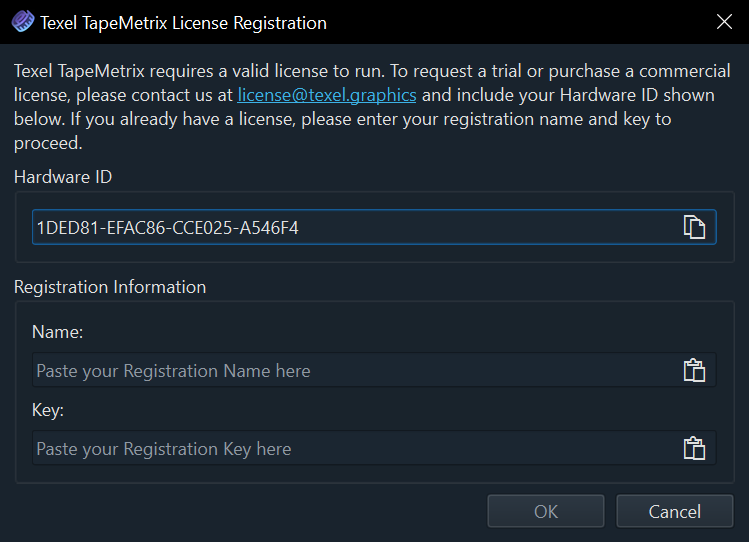
To obtain a license (either commercial or trial), please contact us at the provided email address and include the Hardware ID of your device in the message. If you already have a license, enter the details in the corresponding fields and click the OK button at the bottom of the dialog. Once successfully registered, the license will be saved to your computer.
Information about the active license can be viewed in the About Texel TapeMetrix window (Help > About Texel TapeMetrix... in the menu bar). If you need to change the license (for example, when upgrading from a trial license to a commercial one), click the Change License... button.
In case of issues with license activation, or to transfer the license to another device, please contact our support team via email at support@texel.graphics.
Next Steps
After installation and license registration, the Texel TapeMetrix software is fully ready for use. A detailed description of the available functionality and workflow is provided in the Texel TapeMetrix User Manual.